PC gets the big screen
Hand the shared monitor to your gaming PC while the Mac keeps Slack, music and your work on the other display.
 Monitor ToggleBETA
One monitor · Two computers · One switch
Your Mac and your gaming PC share a monitor. Flip one switch in the Mac’s menu bar and that screen leaves the Mac, so the monitor can pick up the PC. Your Mac keeps working on the other screen. Flip it back when the match is over.
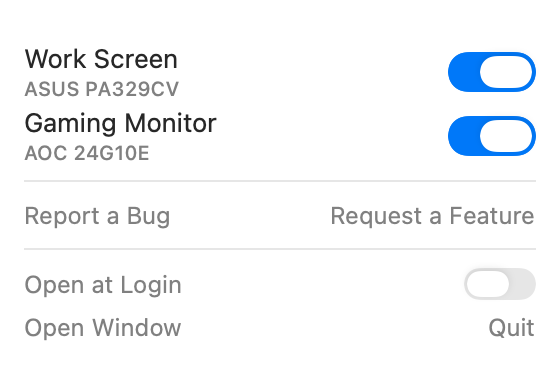
Both screens are on the Mac.
One click from the menu bar
No cables to swap, no monitor menus
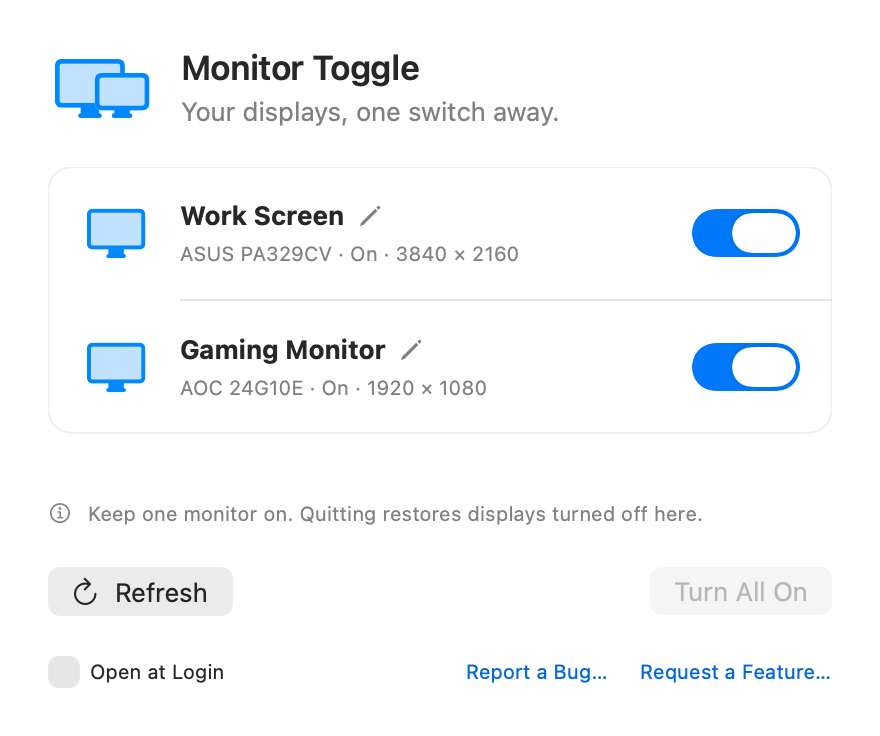
Names you choose for every screen
A live count of screens that are on
Know every screen at a glance
Give each monitor a name that means something to you. The model stays underneath in small print, and your names stick through every toggle and restart.
The menu bar icon shows how many screens are on right now, so you know where your monitor is before you even click.
Hand the shared monitor to your gaming PC while the Mac keeps Slack, music and your work on the other display.
Share a monitor between your Mac and a work laptop. Switch it over without crawling behind the desk for cables.
Turn a display off on the Mac for deep work, then bring it straight back with your layout intact.
Free during the beta. No account, no subscription, no ads, no tracking in the app.
Good to know
Monitor Toggle turns the screen off on the Mac’s side. A monitor set to switch inputs automatically then picks up the other computer’s signal. If yours doesn’t, switch its input once from the monitor’s menu and turn auto input on.
It’s a macOS menu bar app that temporarily disables selected external monitors without unplugging them. A disabled display leaves the macOS desktop until you turn it back on.
Built for Apple Silicon (M1 and later) and macOS 14 or newer. Monitor switching has been tested on a Mac Studio M1 Ultra running macOS 26.5.2 with ASUS PA329CV and AOC 24G10E displays. Other setups aren’t verified yet.
No. It disconnects the display from the macOS desktop. The monitor may switch input or enter standby, depending on the model. Its hardware power stays on.
Click the menu bar icon and flip the switch back on. Quitting Monitor Toggle also reconnects every display it turned off, and it never lets you turn off your last screen.
If you want it to. Turn on Open at Login in the menu bar panel or the app window. At login it starts quietly in the menu bar, without opening a window.
Monitor switching uses a private macOS API that Apple can change. Sleep/wake, crash recovery and every monitor setup haven’t been fully tested. The app is signed with Developer ID and notarized by Apple.
Yes. Monitor Toggle is free during the beta, with no account or subscription.
Help make it better
Tell us what happened, or what would make this little app more useful.